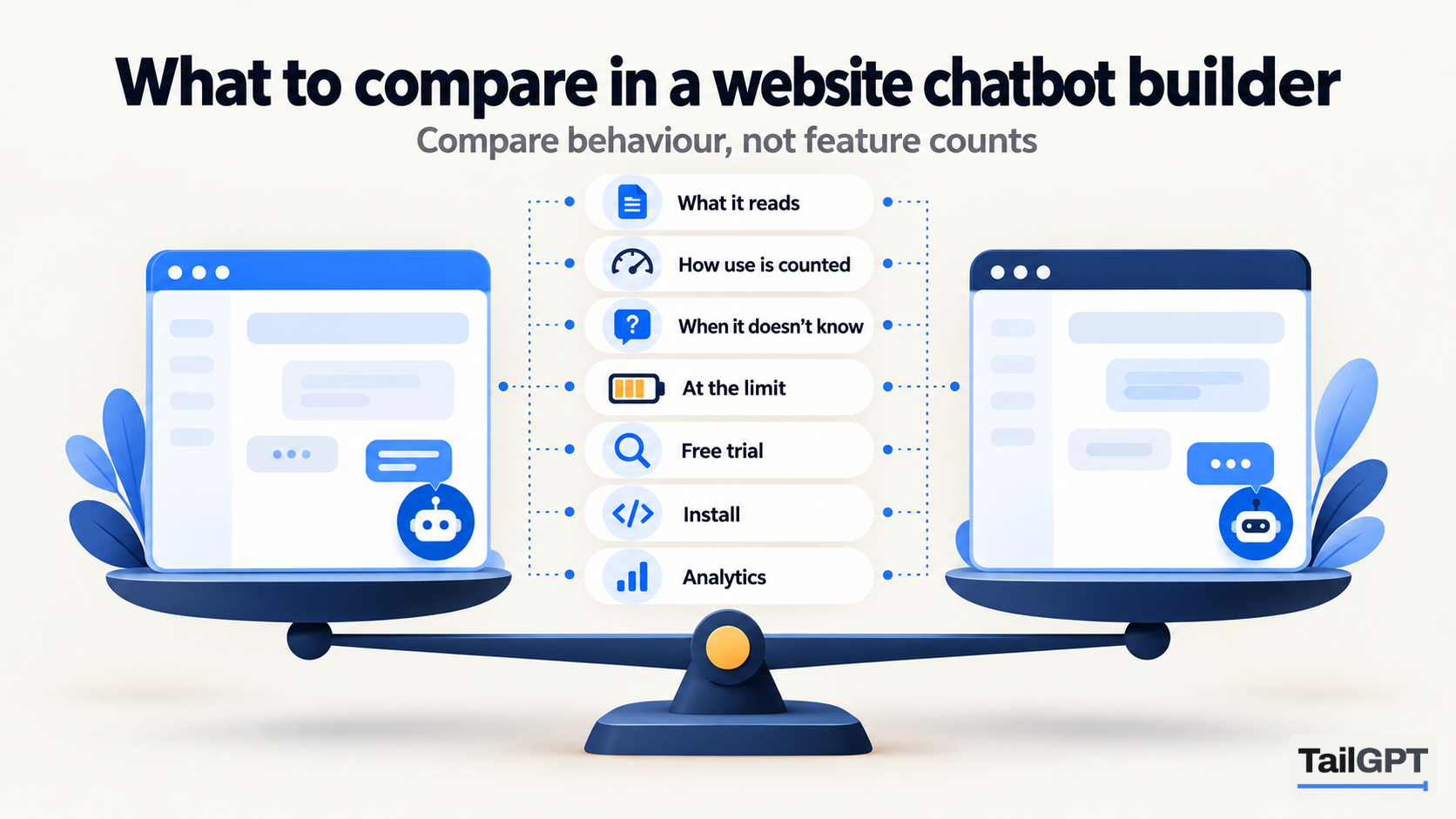
Two chatbot builders can look identical on their home pages. Both read your website, both put a bubble in the corner, both promise answers around the clock. The differences show up later: in the bill for a busy month, in what the bot says to a question your pages never answered, and in what happens the day your plan lapses.
This guide sets out eight things worth comparing, what a good answer to each looks like, and where to find it before you pay. TailGPT's own answers are given for each, with plan figures as of 4 October 2026, so you can hold any other builder up against them.
What should you compare first?
Compare what the chatbot is for before you compare anything else. Website chatbot builders fall into a few kinds: tools that answer from your content, tools that run scripted flows, and helpdesk suites where the bot is one part of a ticketing system. A shortlist that mixes the three compares things that do different jobs.
Write one sentence describing the job. For a coaching institute in Pune it might be: "Answer parents' questions about fees, batches and timings from our website, in the evening, when nobody is at the desk." For a shop in Kochi: "Answer delivery, returns and sizing questions so the phone rings less." If the sentence includes "book an appointment", "check an order" or "pass the chat to a person", you need a builder that does those things, and some do not.
TailGPT does one job: it answers visitors' questions on your website from the pages and documents you choose. It has no booking, no order lookups, no hand-off to a person and no channels other than the website bubble. If your sentence fits that, the rest of this list applies. What an AI chatbot for your website can and cannot do sets out the boundary in more detail.
What does the chatbot read, and what does it ignore?
A chatbot can only be as right as what it reads, so ask exactly where its answers come from. Three questions settle it:
- Can you choose the pages? Reading every page a site has sounds thorough, but it also reads last year's sale, the expired offer and the press release with old prices. Being able to tick and untick pages is how you keep those out.
- Can it read documents? Price lists, prospectuses and policies often live in PDFs that the website links to but never states in full.
- Does it add general knowledge? A bot that fills gaps from what it learned elsewhere will answer questions about your business with facts that are not yours.
TailGPT lists your pages from your site's own page list, ticks a sensible set, and lets you change the ticks. It reads each ticked page in a real browser, keeps the content and drops menus, footers and cookie banners, then shows which pages were read and which failed, with the reason. You can upload PDF, Word (.docx) and text files once you have a plan. It answers from those pages and documents only, with no general knowledge added.
How does each builder count what you use?
Find out what one unit is before you compare prices, because the same number means different things on different pages. The common units are:
| Unit | What it usually counts | What to ask |
|---|---|---|
| Question | One visitor question and its answer | Do refused or unanswerable questions count? |
| Message | Sometimes each message, sometimes each reply | Is the greeting a message? Is a visitor's message counted as well as the reply? |
| Credit | A reply, weighted by the model behind it | How many credits does one answer cost on the model you will actually use? |
| Resolution | A conversation the vendor judges resolved | Who decides what "resolved" means, and can you see the count? |
| Page | One URL, or a block of characters | Is a long page one page or several? |
TailGPT counts questions. One question answered is one question used, whichever of your chatbots answers it, and all chatbots on the account share one monthly pool. As of 4 October 2026, Starter is ₹4,000 a month with 4,000 questions and Growth is ₹8,000 a month with 10,000; Enterprise is custom. A TailGPT page is one URL, whatever its length, and uploaded documents do not count against the page allowance. The full table is on the pricing page, and message credits vs questions works through how the units compare.
One detail worth checking on every builder: which questions are free. On TailGPT, the three refusals (attempts to give the bot orders, requests to write code, and too many questions too fast) do not use a question. A question your pages do not cover does use one, because the bot has still read your pages to find that out.
What does the bot say when your pages do not cover a question?
It should say so plainly. This is the comparison that matters most and the one feature pages describe least. A bot that guesses a delivery date or invents a discount does more harm than a bot that admits it does not know, because the visitor believes it.
Test it yourself rather than reading about it. Ask three questions your website cannot answer: a branch you do not have, a discount you have never offered, a product you do not sell. The right reply is a clear statement that the website does not cover it.
TailGPT answers only from your pages and documents and, when they do not cover a question, says so in its own words instead of guessing. Two further checks run on every answer: an answer that cites something outside the pages it read is thrown away, and an email address or phone number that appears on none of those pages is removed. Why AI chatbots make things up explains why this matters.
What happens when the month's allowance runs out?
Ask what visitors see, what you are told and what it costs. Builders handle the limit differently: some stop, some show a message, some keep going and bill the overage.
On TailGPT you get an email at 80% and again at 100% of the month's questions. At the limit the bubble goes quiet until the month resets, you upgrade, or you buy a top-up of questions. Visitors never see a billing message. Top-ups are questions only, never expire, are used only after the plan's monthly allowance, and need a live plan.
The same question applies to the plan ending. On TailGPT, a lapsed plan, a downgrade or a failed payment deletes nothing: the bubble stops, extra websites are switched off and kept, and renewing brings everything back without reading the site again. You can still read past conversations after a plan lapses.
Can you test it properly before you pay?
You should be able to ask real questions about your own website before you put money down. Compare the terms: whether a card is needed, how long the trial lasts, and what it leaves out.
TailGPT's free trial needs no card and has no end date. An account that has never had a plan can add one website, have up to 500 of its pages read, create one chatbot and ask it 20 test questions in the dashboard. It cannot re-read the site, upload documents or go on your website; the line of code appears once you choose a plan. How to test a chatbot's answers before you buy gives a 20-question plan that fits the trial exactly.
How hard is it to install, and to change later?
Look for an install you can do yourself and changes that do not need a developer. Ask whether the builder needs a plugin, an app or a line of code, and whether changing the bot's look means editing your site again.
TailGPT installs with one line of code per chatbot, pasted just before </body>. There is no plugin; it works on any site that lets you add a script. Name, logo, brand colour, greeting and position are set in the dashboard with a live preview, and changes apply at once without touching your website. Every chat window ends with a small "Powered by TailGPT" line, which cannot be removed. If you need white-labelling, that is a reason to look elsewhere.
What can you see after the bot goes live?
You should be able to read what visitors asked and see what the bot could not answer. Without that, you cannot tell whether the bot is helping or quietly failing.
TailGPT's Show chats page lists every conversation a chatbot has had, as chat bubbles, with search, a 7, 30 or 90-day filter and figures that follow the filter. The Home dashboard shows the answer rate, a daily chart of answered against not answered, and a list of the questions your chatbot could not answer with how often each was asked. There is no export of conversations or of that list. Reading every conversation your bot had covers the page.
What does TailGPT not do that others might?
Be clear about the gaps before you compare prices, because a cheaper tool that lacks one thing you need is not cheaper. As of 4 October 2026, TailGPT does not offer:
- channels other than the website bubble, such as messaging apps, email or voice;
- an API, webhooks, or connectors to cloud drives and note apps;
- lead-capture forms, email collection, or a hand-off to a person;
- a scheduled re-read of your website (you re-read on demand, from a monthly allowance);
- source links shown to visitors under answers;
- export of conversations, or removal of the TailGPT branding.
If none of those is on your list, compare the rest on behaviour: test answers on your own pages, price your busiest month, and check what happens at the limit. Six questions to ask before you buy an AI chatbot is a shorter version of this list to take into a demo.