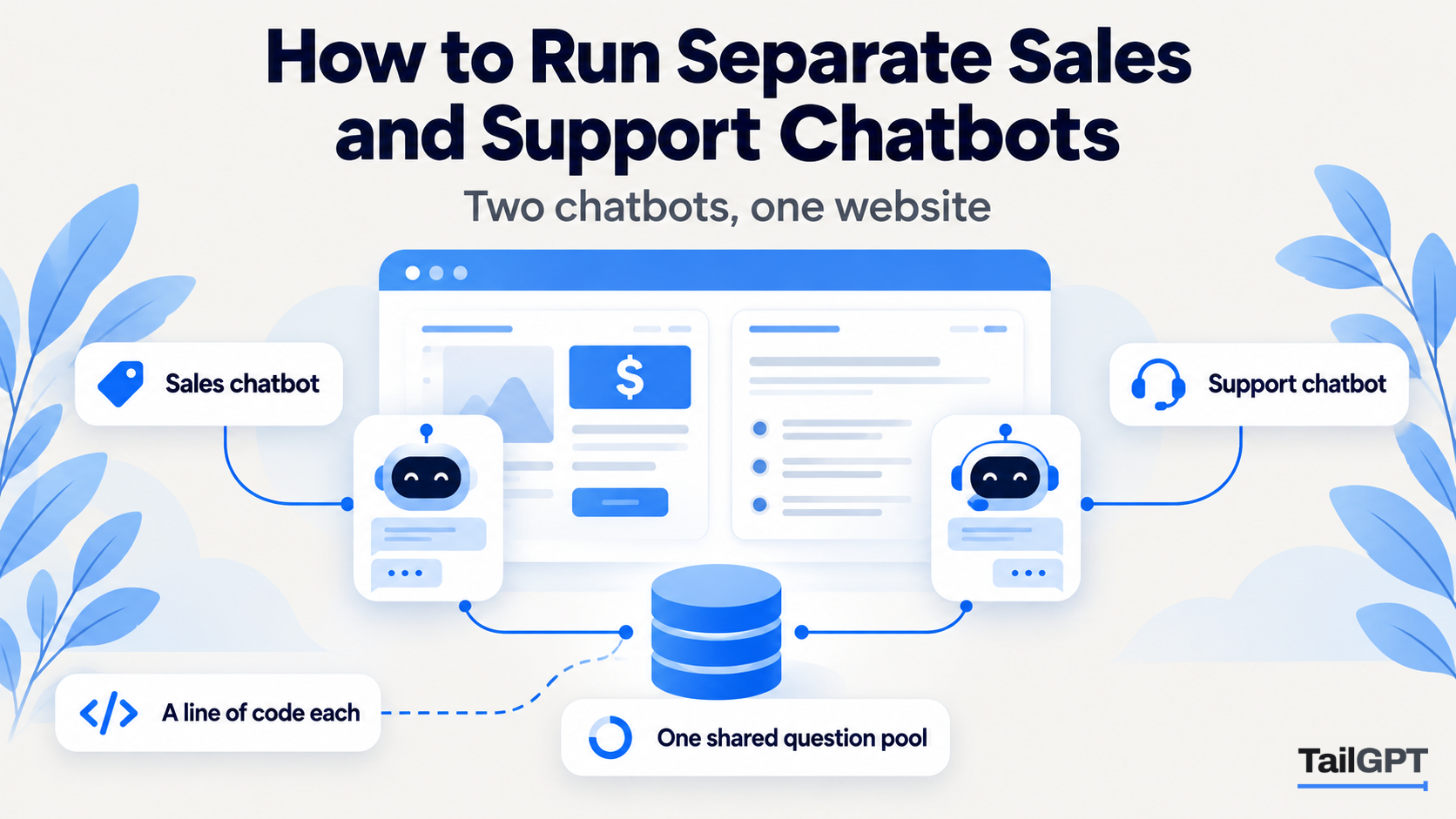
The person comparing two sofas on your product page and the person whose sofa arrived with a wobbly leg are asking very different questions. One wants to hear what you sell and where to go next. The other wants the returns policy, said calmly and without a sales pitch. One chatbot can serve both, but two chatbots, each with its own job, usually serve them better.
This guide shows how to run a Sales chatbot and a Support chatbot from one website in TailGPT, with a furniture shop as the worked example. Plan figures are as of 4 October 2026.
Why run separate Sales and Support chatbots?
Run two when your visitors arrive with two different jobs and you want each answered in the manner that suits it. A buyer on a product page is deciding; a good answer leads with what you offer and ends by pointing to the next step. A customer on the returns page has already bought; a good answer is short, factual and calm.
A single chatbot has one role, so it has to pick one manner for both. Split them and the same delivery question gets a warm, product-led answer on the sofa page and a plain one on the help page, each fitting where it was asked.
Two chatbots are not worth it on every site. A clinic or a small services firm, where nearly every question is practical, is usually well served by one Support chatbot everywhere. The split pays off when you have a clear buying section and a clear help section, as most shops and many course providers do.
How do two chatbots share one website?
TailGPT reads your website once, and every chatbot pointed at it answers from that same reading. The pages you ticked and the documents you uploaded are the knowledge; a chatbot is what uses it, and its role is its job.
Each chatbot has its own:
- role: Support, Sales, FAQ or Custom;
- look: name, logo, colour, greeting and corner;
- line of code, which is how you choose where it appears.
What they share is the knowledge. Both answer only from that website's selected pages and documents, and both say plainly when those do not cover a question. A role changes the manner, meaning what it leads with, how long it answers and what it points to next. It never changes what the chatbot is allowed to say, so a Sales chatbot cannot promise a discount your pages never offered. How each role behaves is set out in how to set your chatbot's role.
Because the site is read once, a second chatbot needs no second read. Update a page, read the site again, and both chatbots answer from the new version.
Which plan do you need for two chatbots?
You need a plan that allows at least two chatbots, which as of 4 October 2026 means Growth or Enterprise:
| Plan | Price | Chatbots | Websites live at once | Questions a month |
|---|---|---|---|---|
| Starter | ₹4,000 a month | 1 | 1 | 4,000 |
| Growth | ₹8,000 a month | 3 | 3 | 10,000 |
| Enterprise | Custom | Up to 10,000 | Up to 1,000 | Up to 5,00,000 |
On Starter, adding a second chatbot asks you to upgrade. On Growth, the top of the Chatbots page shows how many of your three you have used. The current figures are on the pricing page.
How do you set up the Sales chatbot?
Create it on the Chatbots page, point it at your website, and choose the Sales role. Take a furniture shop in Bengaluru with product pages for sofas, beds and dining sets, a pricing page, and help pages for delivery, assembly, returns and warranty.
- Add a chatbot and pick the shop's website from the dropdown. It is preselected if you have only one website.
- Choose Sales. It leads with what you sell that answers the question and points to the next step your pages describe, such as a product page, a showroom visit or a way to order.
- Give it a name and a greeting that fit a buyer. "Ask about our furniture", with a greeting such as "Looking for something? Ask about sizes, materials or delivery."
- Pick its colour and corner. The brand colour suits the buying pages. The live preview shows exactly what visitors will see.
- Test it with Try demo. Ask what a buyer asks: "Does the three-seater come in grey?", "What are the dimensions of the queen bed?", "Do you deliver to Mysuru?"
Then ask it something your pages do not cover, such as a fabric you do not stock. The right answer is a plain statement that the website does not cover it. A Sales chatbot that guessed would be selling something you do not have.
How do you set up the Support chatbot?
Add a second chatbot, point it at the same website, and choose the Support role. The knowledge is identical; only the job changes.
- Add a chatbot and pick the same website.
- Choose Support. It answers policies, delivery and returns, calm and factual, without steering anybody towards another purchase.
- Name it for people who have already bought. "Help with your order", with a greeting such as "Questions about delivery, assembly or returns? Ask here."
- Give it a quieter look if you like. A neutral colour tells a customer on a help page they are not about to be sold to. Keep the same corner as the Sales chatbot so visitors always know where to look.
- Test it with Try demo. "How long do I have to return a sofa?", "Is assembly included?", "What does the warranty cover on a bed frame?"
Be clear with yourself about what the Support chatbot cannot do. It answers from your pages; it cannot look up an order, book a delivery slot or hand the chat to a person. Make sure your help pages say how to reach you, so that a question that needs a human gets pointed to your contact page or phone number.
Where does each chatbot's line of code go?
Each chatbot has its own line, and the line you paste on a page decides which chatbot appears there. Put the Sales line on buying pages and the Support line on help pages, and put only one chatbot's line on any given page, so a visitor meets one bubble, not two.
| Page on the furniture shop's site | Chatbot | Why |
|---|---|---|
| Sofas, beds, dining sets, product pages | Sales | The visitor is deciding what to buy |
| Pricing and offers | Sales | Questions lead naturally to a next step |
| Delivery and assembly | Support | Practical questions, often after ordering |
| Returns, refunds, warranty | Support | Calm and factual matters more than persuasive |
| Contact page | Support | People here usually have a problem |
| Homepage | Your choice | Pick the job most homepage visitors have; for a shop, usually Sales |
How you put a line on some pages and not others depends on your website builder. Many let you add code to a single page or to a template, such as the template every product page uses, as well as to every page at once. If yours only offers one box for every page, you cannot split by page with it, and one chatbot across the whole site is the simpler setup. The general install, and where the code box sits on common builders, is in how to add an AI chatbot to your website.
The key in each line only works on your own website, with or without www. Once a chatbot's bubble loads on your site, its card on the Chatbots page changes to Live, so you can confirm both installs without asking anyone to check.
How are questions counted when two chatbots run?
Questions come from one pool for the whole account, and both chatbots draw on it. On Growth, that is 10,000 a month between them, not 10,000 each. Each chatbot's card still shows how many questions it has answered, so you can see which one is doing the work.
The pool behaves the same way it does with one chatbot. TailGPT emails you at 80% and again at 100%. At the limit, both bubbles go quiet until the month resets, you upgrade, or you buy a top-up of questions. Refused questions, such as attempts to give the bot orders or requests to write code, do not use the allowance.
If the Sales chatbot sits on busy product pages, expect it to take most of the pool. That is normal, and worth knowing before a sale.
How do you read what each chatbot was asked?
Open Show chats on each chatbot's card. Every chatbot keeps its own conversations, so the Sales and Support conversations never mix. You can search any word, filter to the last 7, 30 or 90 days, and read each conversation as the visitor saw it. Reading every conversation your bot had explains the page.
Read the two differently. The Sales chats show what buyers wanted to know and could not find: a dimension missing from a product page, a colour nobody listed. The Support chats show where a policy is unclear: three people asking whether assembly is free means the delivery page does not say so plainly. Fix the page, read the site again, and both chatbots improve at once.
What happens if you change or delete the website behind them?
The chatbots and their code survive. Each chatbot answers from one website, chosen from a dropdown and changeable later on its own page. Point it at a different website and the line of code already on your pages keeps working; it simply starts answering from the new website.
Deleting a website keeps its chatbots too. The website's pages, documents and everything read from it are removed, and that cannot be undone. The chatbots stay, marked as needing a website and answering nobody, until you point them at one. TailGPT keeps them because the line of code on your site is the hard part to replace, and it is still the right line.
This matters when a shop moves to a new address. Add the new website, let it be read, and point both chatbots at it. The Sales and Support lines already on your pages carry on, with their roles and looks unchanged.
Does the same split work for a coaching institute?
Yes, with the pages renamed. A coaching institute in Pune might put a Sales chatbot on its course and fees pages, answering about batches, eligibility and the demo class, and a Support chatbot on its student pages, answering about timetables, study material and refund rules for enrolled students. The admissions team's busiest weeks are exactly when that split helps, because prospective parents and current students stop getting the same answer in the same tone.